Ask a general-purpose chatbot about your company's refund policy and it will answer. Confidently, in detail, with a plausible number of days. And it will have invented the whole thing, because it has never seen your refund policy. It has seen thousands of other companies' refund policies and learned what one tends to sound like.
That gap is the single biggest reason AI pilots stall inside real businesses. The model is not short on intelligence. It is short on your facts. RAG — retrieval-augmented generation — is the standard fix, and it is far simpler than the acronym suggests.
Google's own reporting on AI search trends shows the shape of this shift: people have moved on from asking what is AI to asking how do I use it, with "AI for customer service" and "AI for small business" climbing steadily. Almost every one of those questions, once you get past the demo stage, turns into a RAG question.
What RAG actually does
Here is the entire idea in one sentence: before the model answers, go and fetch the relevant passages from your own documents, paste them into the prompt, and tell the model to answer using those.
That's it. No retraining, no custom model, no machine-learning team. You are handing the model an open book right before you ask the question. The "retrieval" is the looking-up, the "generation" is the answering, and "augmented" is the bit in the middle where the two get stapled together.
The reason it works so well is that language models are excellent at reading and terrible at remembering. Give one a passage and ask it to summarise, compare, or reason over that passage, and it performs beautifully. Ask it to recall a fact it saw once during training, and you are rolling dice. RAG plays to the strength and sidesteps the weakness.
The four steps, in plain terms
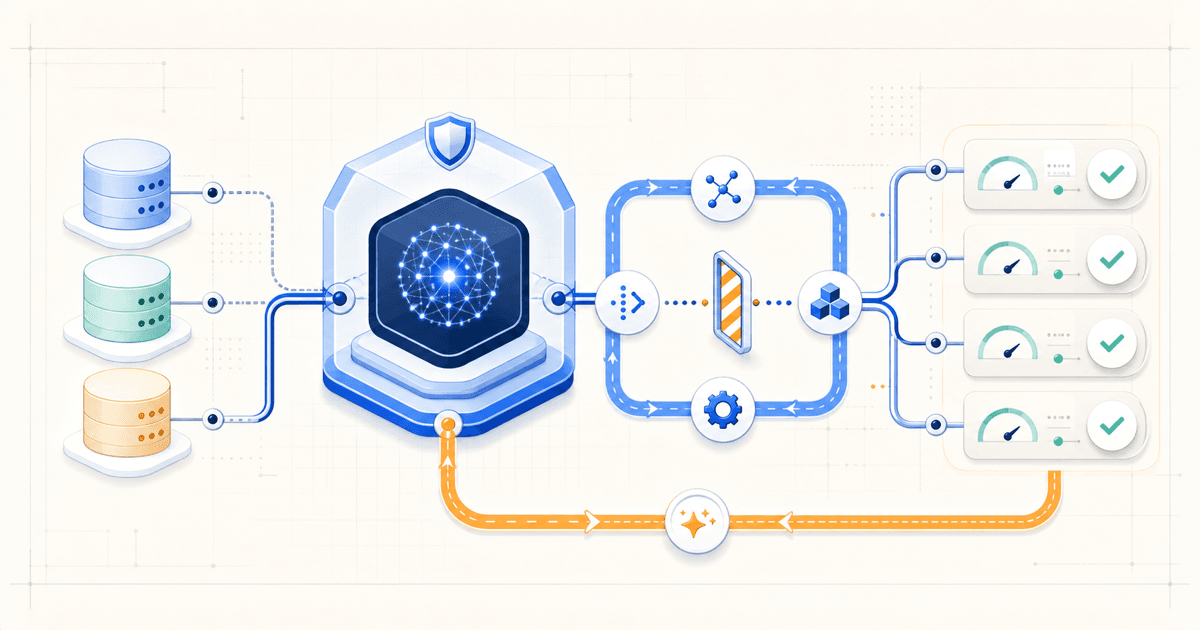
A working RAG pipeline does four things. Three of them happen ahead of time, once, when you load your documents in. Only the last one happens while a user waits.
Step one: chunking
You cannot paste a 90-page handbook into a prompt, so documents get cut into pieces — usually a few hundred words each. Each piece is a chunk.
This step sounds like plumbing and is quietly where most RAG systems go wrong. Cut too small and a chunk loses the context that made it meaningful: "This does not apply to enterprise accounts" is useless when severed from the paragraph explaining what "this" was. Cut too large and you dilute it, so a chunk about eight different topics matches weakly against all of them and strongly against none.
Good chunking follows the document's own structure — split on headings and sections rather than on a fixed word count, and carry the heading text into each chunk so a fragment still knows what document and section it came from.
Step two: embedding
Each chunk gets converted into a list of numbers called an embedding — a vector, typically a few hundred to a few thousand numbers long. The numbers encode meaning. Chunks about similar things end up with similar numbers, even when they share no words at all.
That last part is the whole trick. A customer types "I want my money back." Your policy document says "refunds are processed within 14 business days." Keyword search finds nothing — no shared words. Embedding search finds it immediately, because money back and refund land near each other in the numeric space.
The embeddings live in a vector database, or increasingly in a vector column inside the database you already run. Postgres with pgvector handles this well and saves you from operating a second system for what is often a few thousand rows.
Step three: retrieval
A question arrives. You embed the question the same way you embedded the chunks, then find the chunks whose vectors sit closest to it. Closest usually means a handful — five, ten, twenty. Those are your candidates.
Pure vector search has a known weak spot: exact strings. Order numbers, SKUs, error codes, and surnames are precisely the things embeddings blur, because "meaning" is the wrong lens for INV-40912. Production systems almost always run keyword search alongside vector search and merge the results, an approach called hybrid retrieval. If your system needs to find invoice numbers, plan for this from day one rather than discovering it in week three.
Step four: generation
The retrieved chunks go into the prompt along with the question and an instruction along the lines of: answer using only the passages below, and say you don't know if they don't cover it.
That instruction earns its keep. Without it the model will cheerfully blend your documents with its training data and produce an answer that is half yours and half invented, which is worse than either alone because it reads as authoritative throughout.
Ask for citations too. When each claim points back to the chunk it came from, users can check the source, and you get a debugging trail that tells you whether a bad answer came from bad retrieval or bad generation. Those two failures look identical from the outside and need completely different fixes.
Why not just fine-tune the model?
This is the question we get most often, and the honest answer is that fine-tuning solves a different problem than people expect.
Fine-tuning adjusts a model's weights on your examples. It is good at teaching behaviour: a house tone of voice, a rigid output format, a domain's phrasing conventions. It is poor at teaching facts, because a fact absorbed into billions of weights cannot be looked up, verified, corrected, or removed. When your pricing changes, RAG needs one document updated. A fine-tuned model needs retraining.
For the overwhelming majority of business use cases — support, internal search, document Q&A, anything where correctness matters and content changes — retrieval is the right tool. Reach for fine-tuning when the model needs to act differently, not when it needs to know something.
Where RAG actually breaks
Teams tend to assume a disappointing RAG system means they picked the wrong model. In our experience it is nearly always retrieval, and swapping to a more capable model changes nothing, because no model can reason its way to an answer from passages that were never fetched.
The failures we see repeatedly:
- The answer was never retrieved. It sits in a chunk that scored eleventh when you only pass the top ten. Check what your retriever returned before you blame the model — this single check resolves more RAG complaints than any other.
- Everything retrieves the same few chunks. Usually an "About us" page or a broad overview document that is vaguely similar to every question ever asked. It crowds out the specific answer.
- Stale documents outrank current ones. Last year's pricing page and this year's are near-identical in meaning, so the retriever cannot tell them apart. Filter by date or delete the old one; the retriever will not resolve this for you.
- Contradictions get averaged. Two documents disagree, both get retrieved, and the model produces a confident blend of the two rather than flagging the conflict.
- Tables and PDFs arrive as mush. A pricing table extracted badly becomes a run of disconnected numbers. Your retrieval can be flawless and the chunk still meaningless.
Notice how many of these are content problems rather than AI problems. RAG makes the quality of your documentation load-bearing, often for the first time. Plenty of teams discover their internal docs contradict themselves only after a bot starts quoting them back.
How to tell if yours is working
"It seemed good when I tried it" is not a measurement, and it is how most RAG projects get evaluated. Since retrieval and generation fail separately, measure them separately.
For retrieval, assemble thirty or so real questions, note which document should answer each, and check how often that document appears in what gets fetched. If it is missing a quarter of the time, no amount of prompt work will save you.
For generation, take the cases where retrieval succeeded and ask whether the answer was supported by the passages, whether it invented anything, and whether it correctly refused when the passages fell short. That last one matters more than it looks — a system that never says "I don't know" is not being helpful, it is guessing quietly.
This is the same discipline we covered in the first post in this series, where eval is what separates an agent you can trust from one that merely demos well. RAG is the same story: the pipeline is a weekend's work, and the evaluation is what makes it production software.
What this looks like in a product
Most of the RAG work we build sits in one of three places, and none of them look like a chatbot bolted onto a homepage.
Inside a customer portal, it answers account-specific questions against that customer's own contracts and history, with permissions enforced at the retrieval step so a user can never surface another tenant's documents. In a support workflow, it drafts a reply with citations for an agent to approve rather than sending anything unreviewed — which converts an accuracy risk into a speed gain. And across internal operations, it makes years of scattered process documents searchable by meaning, which is frequently the highest-value and least glamorous version of the lot.
The multi-tenant permission point deserves emphasis. If your retrieval layer does not filter by tenant before the vector search runs, you have built a data leak with a friendly interface. Filter first, search second.
The short version
RAG is looking things up before answering. Chunk your documents, turn them into vectors, fetch the closest ones to the question, and instruct the model to answer from those alone.
The mechanism takes an afternoon. What takes real work is the unglamorous part around it — documents worth retrieving, chunks that preserve their context, hybrid search for the exact strings vectors miss, permissions applied before retrieval rather than after, and a test set that tells you when any of it regresses.
Teams that treat RAG as a model problem stay stuck. Teams that treat it as a retrieval and content problem ship something people rely on.
Topic informed by Google's AI search trends report, which tracks the shift from "what is AI" toward applied questions like AI for customer service and small business. Written by the SiteFusion team.